


Works on both iPhone and Android — takes less than 10 seconds.
Mai Place is a “web app,” meaning you can install it straight to your home screen just like any other app.
Here’s how to do it depending on your device.
🍏 For iPhone (Safari)
Step 1 — Open Mai Place in Safari
Go to: maiplace.co.nz
Note: iPhone only allows app installs using Safari.
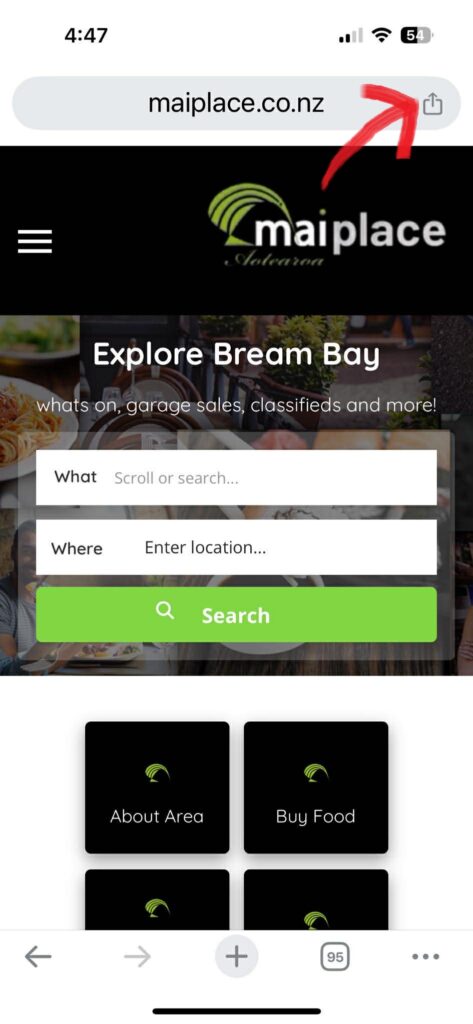
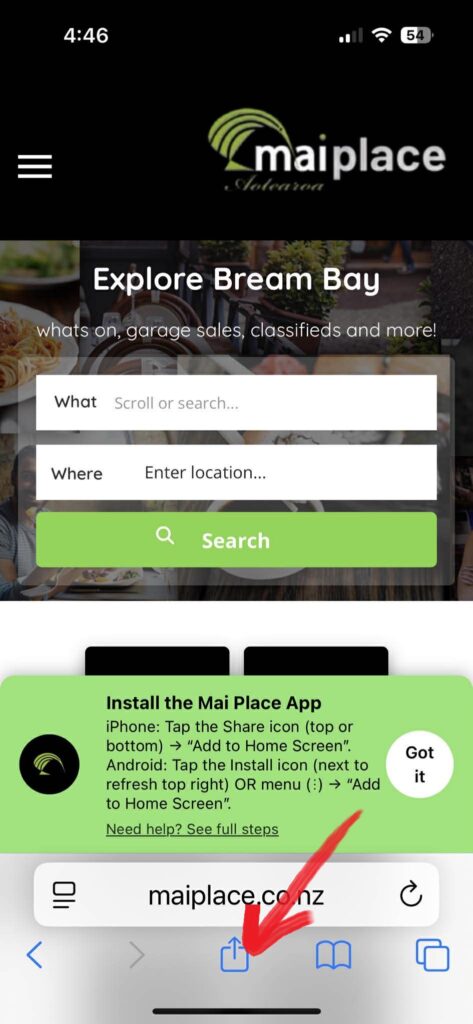
Step 2 — Tap the Share Button
Depending on your settings, the Share icon is either:
- Bottom centre of the screen
or - Top right, next to the address bar
It looks like this:
🔳 ↑ (a square with an upward arrow)
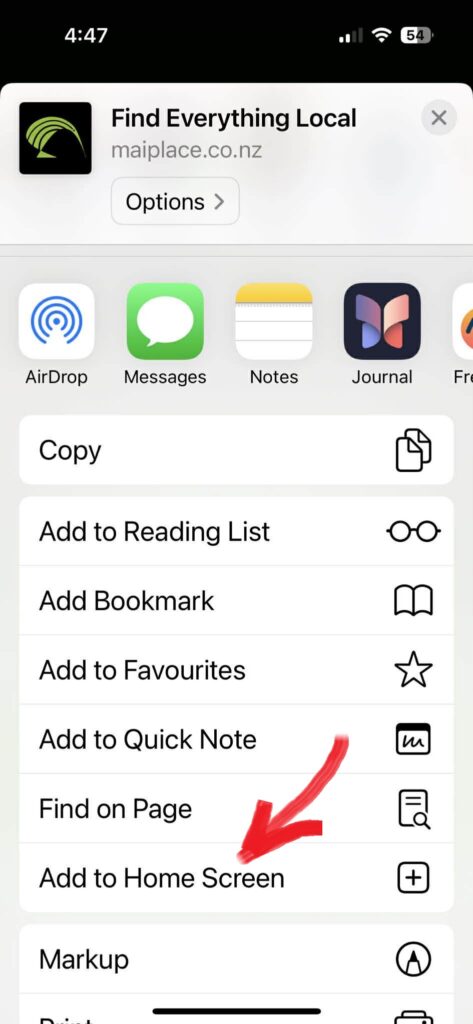
Step 3 — Select “Add to Home Screen”
Scroll the options until you see:
Add to Home Screen
Tap it.
Step 4 — Tap “Add”
Your iPhone will place the Mai Place app icon on your Home Screen.
You can now open Mai Place just like a normal App Store app.
🤖 For Android (Chrome)
Step 1 — Open Mai Place in Chrome
Go to: maiplace.co.nz
Step 2 — Look for the Install Button
On Android, Chrome usually shows an Install icon next to the refresh button to right hand corner.
It may look like:
📥 Install
If you see it — tap it.
If you don’t see the Install icon:
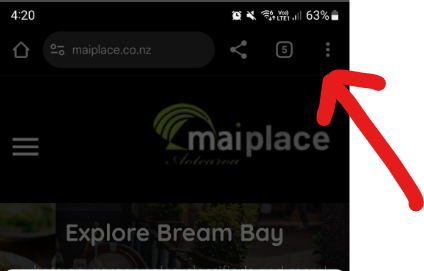
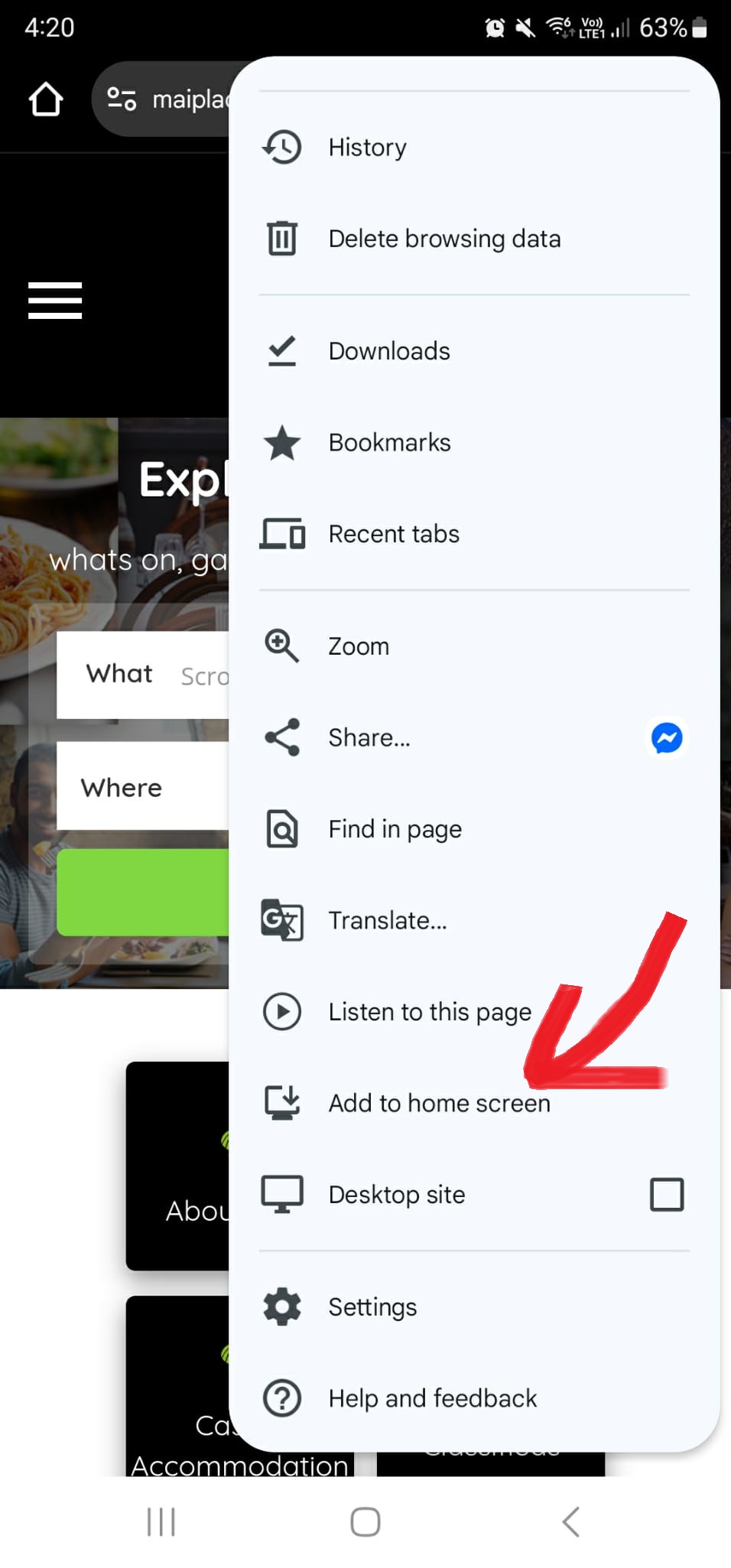
Step 3 — Tap the Menu (⋮)
Top-right corner.
Step 4 — Select “Add to Home Screen”
Or “Install App” depending on your phone model.
Step 5 — Confirm Install
Your phone will add the Mai Place app icon to your home screen instantly.
🟡 What Happens After Installing?
- You’ll get a Mai Place icon on your home screen
- The app opens fullscreen, no browser bar
- It loads faster and saves your progress
- It works like a normal app
🟣 Why Install the Mai Place App?
- Faster access to What’s On
- Easy access to local businesses
- Quickly view events, deals, markets, and fishing info
- Works even when your signal is weak
- No app store required
- Free forever
🟤 Troubleshooting
I can’t find the Share or Install button
Make sure you’re using:
- Safari on iPhone
- Chrome on Android
Other browsers hide or disable install options.
The banner disappeared
You may have pressed Got it.
To see the banner again, clear your browser data for maiplace.co.nz.
The app didn’t show on my home screen
iPhone: check the last page of apps.
Android: your launcher may group new apps in the App Drawer.
🟦 Need help?
If you need help installing the Mai Place App, contact us anytime:
📧 contact@maiplace.co.nz
🌐 maiplace.co.nz